


Go Speed: Street Rider
3.920.00 Reviews
App Specs
- Version
- 1.0.8
- Updated On
- License
- Free
- Downloads
- 1,000,000+
- Developer
- SoftAIO
- Categories
- Racing
- Platform
- Android
Screenshots
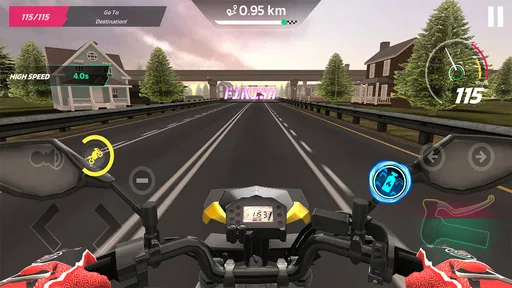
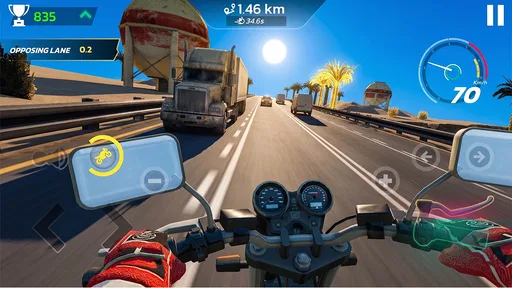
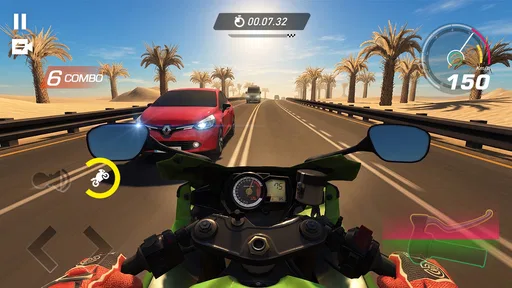
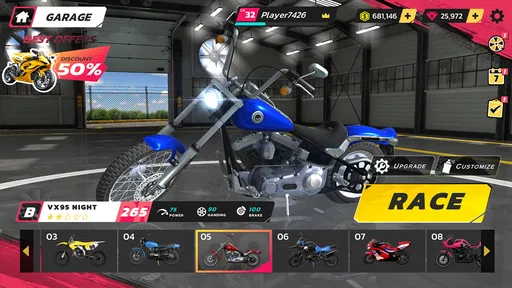
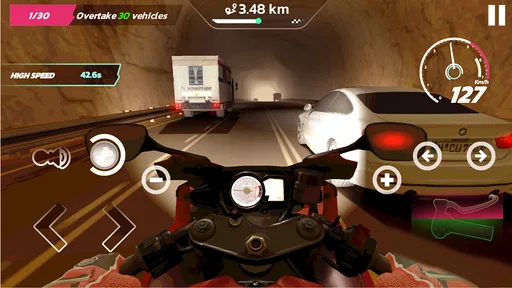
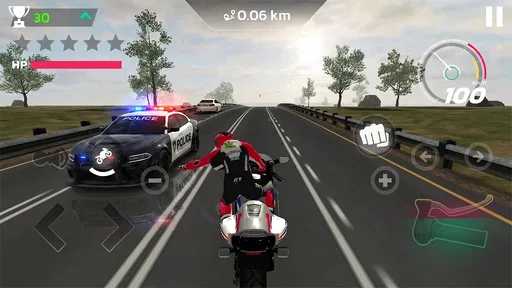
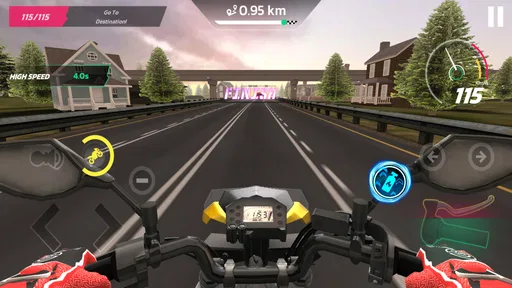
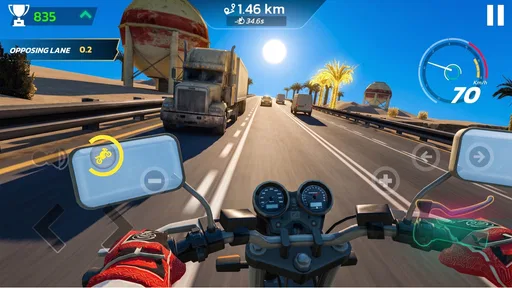
 Analysis by AppCompare
I can see Go Speed: Street Rider working best as a quick racing option on a phone that gets passed around at home. One person can pick it up for a brief burst of play, then hand the device to someone else without needing to plan an evening around it. That casual fit is appealing, though shared-device use also makes it worth thinking about who is playing, what they may tap, and whether in-app purchases are a concern.
How it fits into a shared-device routine
This is a free racing game from SoftAIO, currently at version 1.0.8. The store gives little more than a brief speed-focused pitch, so I would approach it as a straightforward mobile racing choice rather than assume it offers a deep career or elaborate simulation. That makes it easier to consider for spontaneous play: a short break, a turn while waiting, or a quick challenge when someone else has finished using the phone.
In a household, the practical question is less “Can everyone play at once?” and more “Can people take turns without confusion?” If the phone is shared, agree on a simple handoff: finish the current session, return to the same point in the app, and let the next person take over. I would avoid letting several players make purchases or change settings on a device with no clear account boundaries. That is ordinary shared-device housekeeping, not a special feature of the game.
Compared with racing games built around long events, extensive progression, or a realistic driving focus, Go Speed appears positioned for a lighter commitment. That can be a plus when different people in the household have different attention spans. It is less compelling if your group wants a game where everyone has a distinct profile, a clearly separated campaign, or a robust set of competitive options. I would check those expectations before treating it as a shared family game.
Set expectations before handing over the phone
The game is free to install, but it includes in-app purchases priced from $0.99 to $19.99 per item. That is the main boundary I would establish before giving the device to a child or another household member: make sure the device’s purchase settings suit your situation, and explain that an in-game prompt does not mean an item is necessary. I would not assume that a free download means every part of play is free.
A useful routine is to keep the app-store account under the device owner’s control and have the owner handle any purchase decisions. This separates the person enjoying a race from the person responsible for spending. It also avoids the familiar shared-phone problem of someone tapping through a prompt without understanding that it may lead to a paid item. The game’s listed purchase range is broad enough that this small bit of preparation is worthwhile.
For several people using one device, it is also sensible to agree on whether changing the current game state is okay. A racing session can be easy to interrupt, but the next player may not want someone else to alter whatever they were doing. I would make the handoff explicit rather than assume that a shared phone automatically means shared progress or shared preferences. That simple rule can prevent friction even when the game itself is being used casually.
Worth Reading Before You Choose

Switching to Android Auto Means Rethinking Your Driving Routine

Google Calendar Makes a Crowded Week Easier to Manage

Baby Panda World Brings Quick Play to Modern Phones, but Its Game Library Feels Busy

ESPN’s Live Game View Makes Following Close Games Easier

QuizzLand Review: A Good Fit for Short Trivia Breaks, Not Every Player

Basketball Stars: Multiplayer Is Fast, but Can It Recover When Matches Go Wrong?
Taking turns without turning play into a chore
Go Speed’s broad appeal is the immediacy suggested by its racing focus: it is the kind of title I would reach for when I want action rather than a long setup. For a household, that makes short turns a natural way to use it. A parent waiting for an appointment, for example, could let a child play for a while, then take the phone back before moving on. The key is to treat the game as a small activity, not as an all-purpose solution for keeping everyone occupied.
One non-obvious tip for shared use is to decide the handoff point before a session begins. If a player is in the middle of a race or another active moment, interrupting them can feel unfair; waiting until they reach a natural pause is usually smoother. Since I would not count on a particular multiplayer or turn-management feature without seeing it in the game, this approach works regardless of how its play sessions are organized.
Another useful trade-off is that a single-device game can be convenient but not truly social. People can cheer, compare turns, or pass the phone along, yet that is different from racing together online or using separate devices. If the goal is a shared activity where everyone participates simultaneously, I would look for a racing game explicitly designed around multiplayer. If the goal is simply to take turns with a quick mobile racer, this one is a more plausible fit.
Age context and what I would trust it for
The content rating is Everyone 10+, so I would not treat the game as automatically suitable for every age just because it is a racing title. Ratings are a useful starting point, not a substitute for a parent’s own judgement about a particular child. I would try it myself first if I were choosing it for a younger player, then decide whether its presentation and purchase prompts feel appropriate for our household.
That check is especially relevant when a phone belongs to an adult but is used by children. The person holding the device may have access to payment methods or an app-store account that should not be treated as a child’s own. I would keep those responsibilities with the adult and explain the difference between playing the game and buying something within it. This is a practical trust boundary, not a claim that the game provides parental controls.
The game has a 3.9 average from 549 ratings, with 20 written reviews, and has passed 1 million installs. Those figures suggest that it has found an audience, but they do not tell me whether it will suit a particular child, device, or household routine. I would use them as modest context rather than a guarantee of quality. The most reliable test is whether the controls and pace feel comfortable to the person who will actually play.
Who is likely to enjoy it—and who may want another racer
I would recommend giving it a try if you want a free mobile racing game for occasional play and do not need a large commitment before deciding whether it suits you. It may also work for households that are comfortable taking turns on one device and can keep purchases under the account owner’s control. The low barrier to trying it is useful when different family members have different tastes and nobody wants to commit to a paid game upfront.
I would steer away from it if your priority is a carefully managed child account, a family profile system, or a clearly defined multiplayer experience. Those are specific needs, and I would not infer that they are present simply because the game can be installed on a shared phone. A more feature-rich racing title may be a better match if you want long-term progression, detailed vehicle tuning, or head-to-head play that is central rather than incidental.
It is also not the best choice for someone who dislikes in-app purchase prompts or wants a fully paid experience with no optional spending. The download costs nothing, but the listed items range up to $19.99. If that possibility would create arguments on a shared device, setting firm purchase restrictions—or choosing a different game—is the sensible move. I would rather make that decision in advance than rely on everyone remembering a verbal rule.
A sensible way to try it at home
My suggested first session is simple: the device owner installs the game, checks that purchase decisions remain with them, and plays long enough to judge whether the racing itself is enjoyable. Then, if it seems appropriate, let another household member try a short turn. This answers the practical questions that ratings cannot: whether the game feels engaging, whether its pace suits the player, and whether passing the device around works comfortably.
Android compatibility is listed from version 7.0, which gives owners of older supported devices a reason to check it rather than assuming it requires a recent operating system. The game’s current version is 1.0.8. I would still pay attention to how it behaves on the actual phone or tablet being used, especially if that device is shared and already has limited space or is relied on for everyday tasks.
The game is free, but that does not mean it has no household cost in attention or coordination. Agreeing on turns, protecting the owner’s account, and deciding how to handle purchase prompts are small steps that make shared play less awkward. Those habits matter more than any assumption that a racing game will automatically provide separate accounts or family-specific tools.
My household verdict
Go Speed: Street Rider is a reasonable candidate for casual, turn-based play when a household wants a racing game that is easy to try without paying upfront. I like the idea of using it as a short, informal diversion rather than making it the centre of a family gaming routine. SoftAIO’s release is free to start, but the in-app purchases and Everyone 10+ rating deserve a little attention before it goes onto a shared device.
For me, the decision comes down to expectations. If you want quick racing entertainment and are happy to manage turns and purchases yourselves, it is worth trying. If you need strong account separation, dependable family safeguards, or simultaneous competition, I would choose a game built around those needs instead. Used with sensible boundaries, this one can fit neatly into a shared phone’s downtime; without those boundaries, the convenience of passing it around may bring more confusion than fun.
Pros
- Quick races make it easy to play in short sessions.
- Simple controls are approachable for new players.
- Street racing provides a clear sense of speed.
- Progression gives players goals to work toward.
- The game suits fans of casual racing challenges.
Cons
- Repeated race formats can become predictable.
- Progress may depend on frequent play.
- Touch controls may feel imprecise at high speeds.
- Visual details may look basic on newer devices.
- In-game ads may interrupt the racing flow.
FAQs for Go Speed: Street Rider
What kind of game is Go Speed: Street Rider?
Go Speed: Street Rider is a mobile driving game focused on speeding through roads and avoiding traffic. It is designed for quick play sessions, with the main challenge being to steer around vehicles and keep moving without crashing. The exact modes and progression can vary by version, so check the current store listing for details before downloading.
Is Go Speed: Street Rider free to download?
The game may be available as a free download, but availability and pricing can differ between the Google Play Store and Apple App Store, as well as by region. Free mobile games may also include advertising or optional in-app purchases. Review the store page for the current price, purchase details, and any subscription information before installing.
Can I play Go Speed: Street Rider offline?
Whether Go Speed: Street Rider works without an internet connection depends on the version and how its features are implemented. Basic driving may be available offline in some releases, while ads, online leaderboards, rewards, or other connected features may require internet access. If offline play matters to you, check the latest store description and test the game before relying on it without a connection.
What controls does Go Speed: Street Rider use?
Go Speed: Street Rider is built around straightforward mobile driving controls, so it should be approachable for players who prefer short, simple gameplay over a complex simulation. The available steering method and any options for changing controls can differ by platform or release. Check the in-game settings after installation to see whether touch, tilt, or other control preferences are offered.
What should I check before downloading Go Speed: Street Rider?
Before downloading, confirm that your Android or iOS device meets the current requirements and has enough free storage. Also check the app’s latest update date, age rating, privacy information, and permissions on its official store page. User reviews can help identify performance or advertising concerns, but remember that experiences may differ depending on the device and game version.


